Get the most out of WITTY ENGLISH
Every step with real screenshots — from home to Sentence Lab and stats.
More than a vocab app — sentences with AI grammar feedback
WITTY ENGLISH builds IELTS·PTE·TOEIC vocabulary AND lets you write full sentences with those words — AI checks your grammar, word order, and phrasing in real time. Perfect for IELTS Writing and PTE Speaking prep.
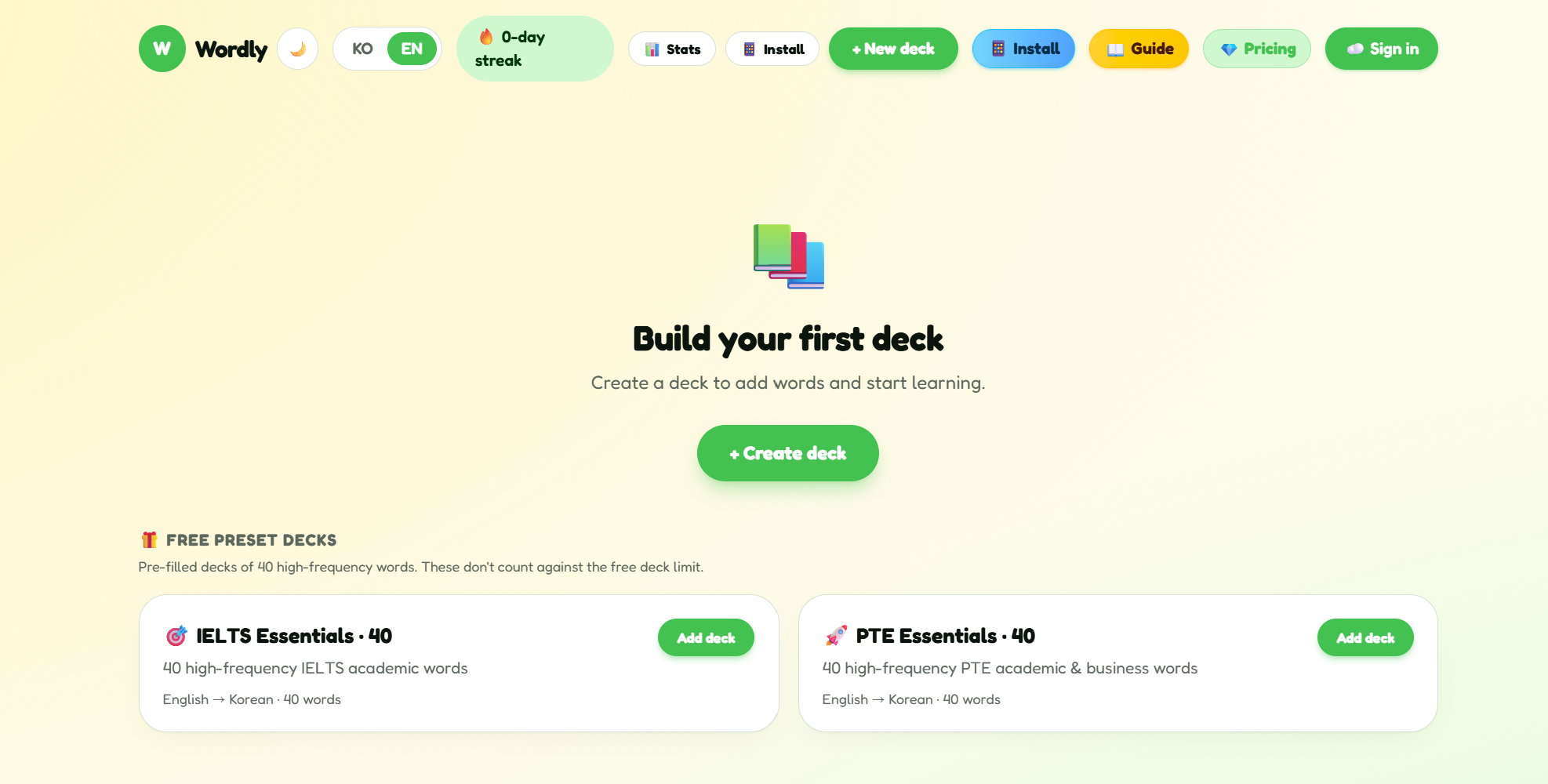
The home screen at a glance
After signing in, the home screen has two areas: your decks on top, and “Free preset decks” (IELTS Essentials · 40, PTE Essentials · 40) below.
On the free plan you get 1 self-made deck plus the 2 preset decks (IELTS · PTE), and every deck holds up to 40 words.
The top-right lets you switch KO/EN, see your streak, open stats, install the app, create a new deck, or open pricing.
- 💡Free plan: 1 self-made deck + 2 preset decks (IELTS · PTE), up to 40 words each
- 💡Paid plan: unlimited decks and words
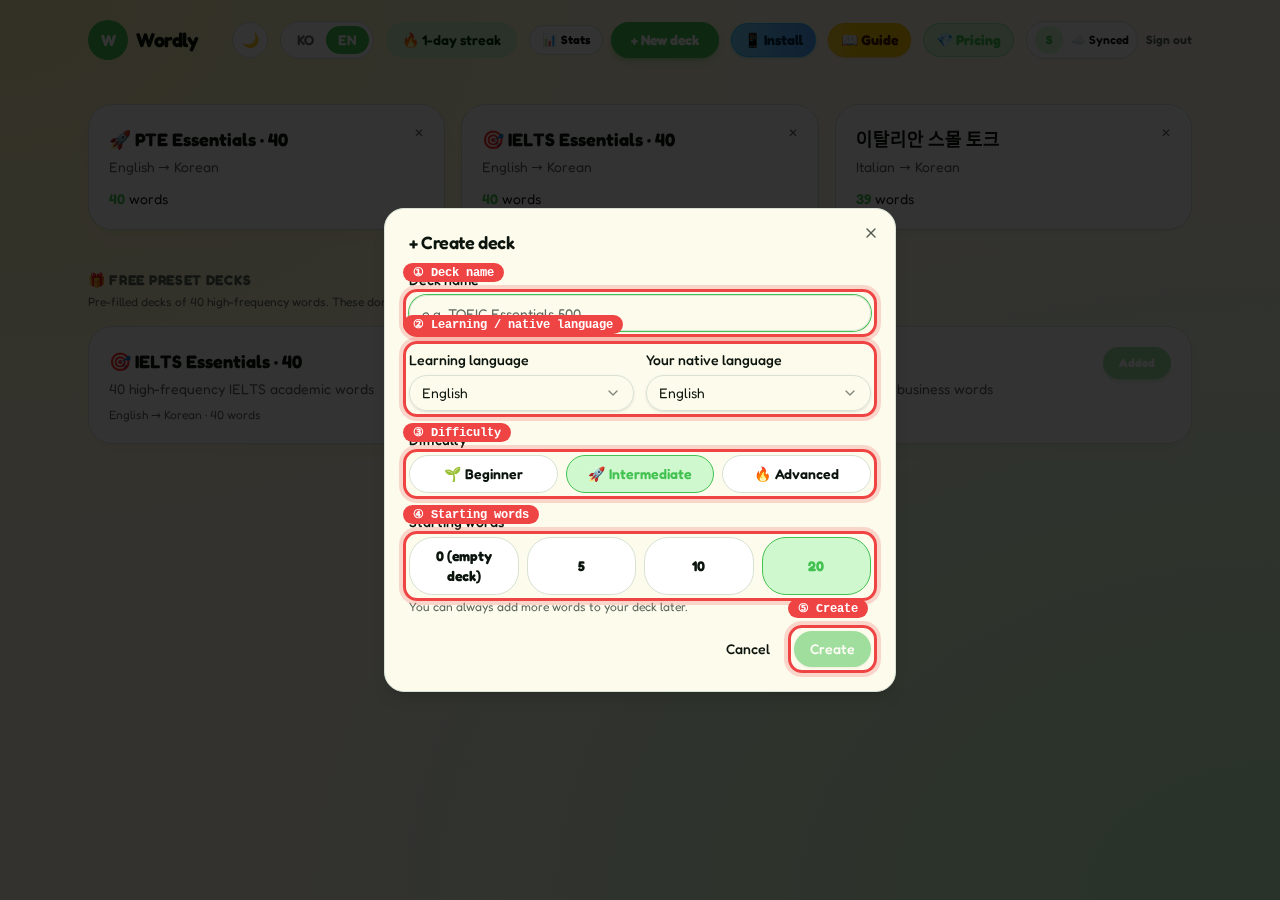
Create a new deck
Tap “+ New deck” to open the dialog. Set a name, source → target language, difficulty (Beginner / Intermediate / Advanced), and starter word count (0 · 5 · 10 · 20).
If you pick more than 0, AI generates that many starter words based on the deck name and difficulty — e.g. “TOEIC part 5 essentials · Intermediate · 20”.
Smaller focused decks (20–40 words) beat one giant deck. Split by topic, exam, or context.
- 💡Pick 0 to start with an empty deck and add words yourself later
- 💡Hitting the free deck limit shows an “Unlock unlimited” prompt
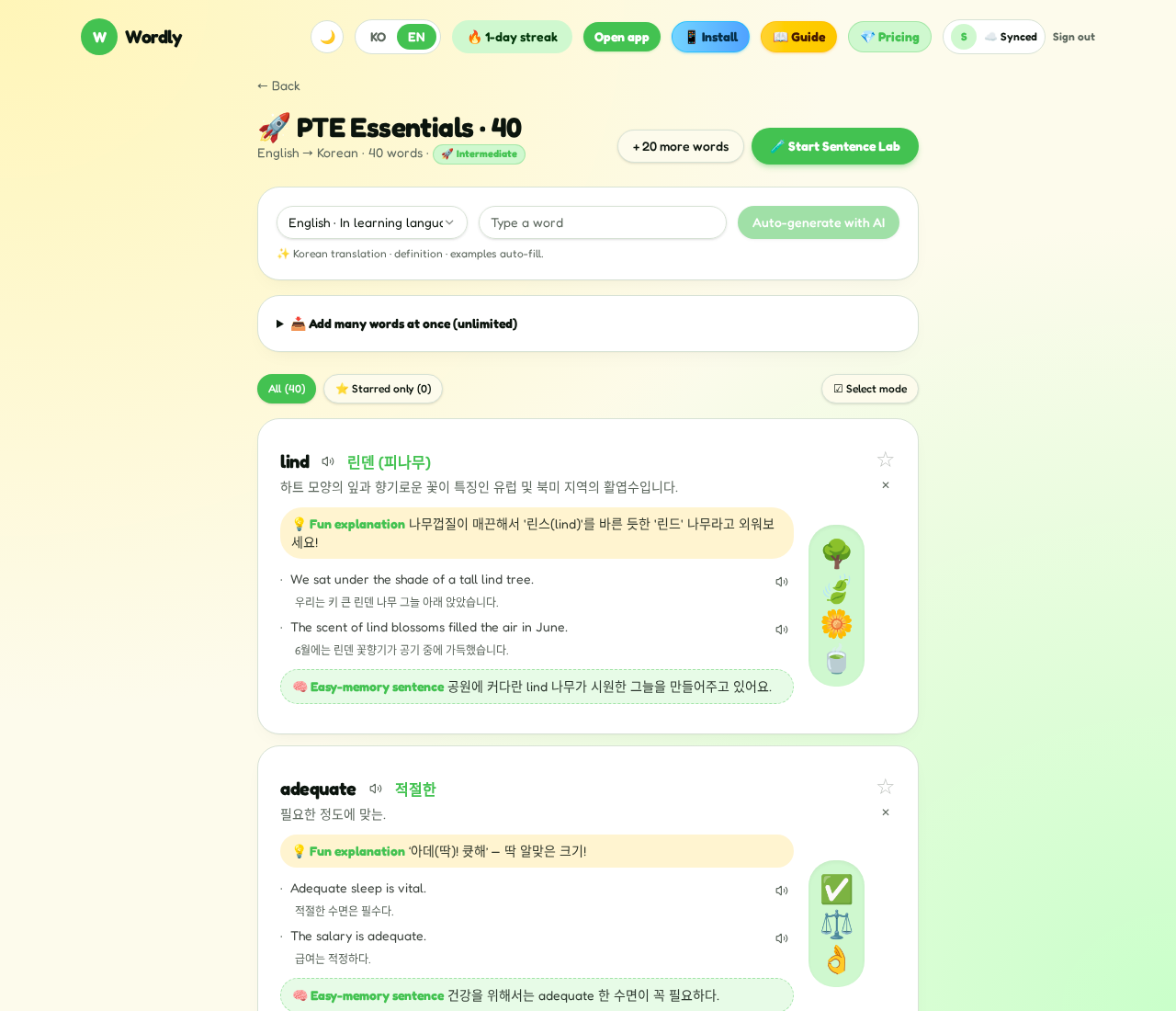
Add a single word — AI fills the rest
On the deck page, pick which side you're typing in, type a word, and tap “AI generate”.
WITTY ENGLISH fills in the translation, definition, two example sentences (with translations), an emoji, a fun mnemonic, and an easy-recall example. You only supply the word.
The “+20 more words” button on the deck header pulls 20 fresh, non-duplicate words from AI in one shot.
- 💡You can type in either the source or the target language
- 💡If a generation fails, retry — it's usually a transient AI hiccup
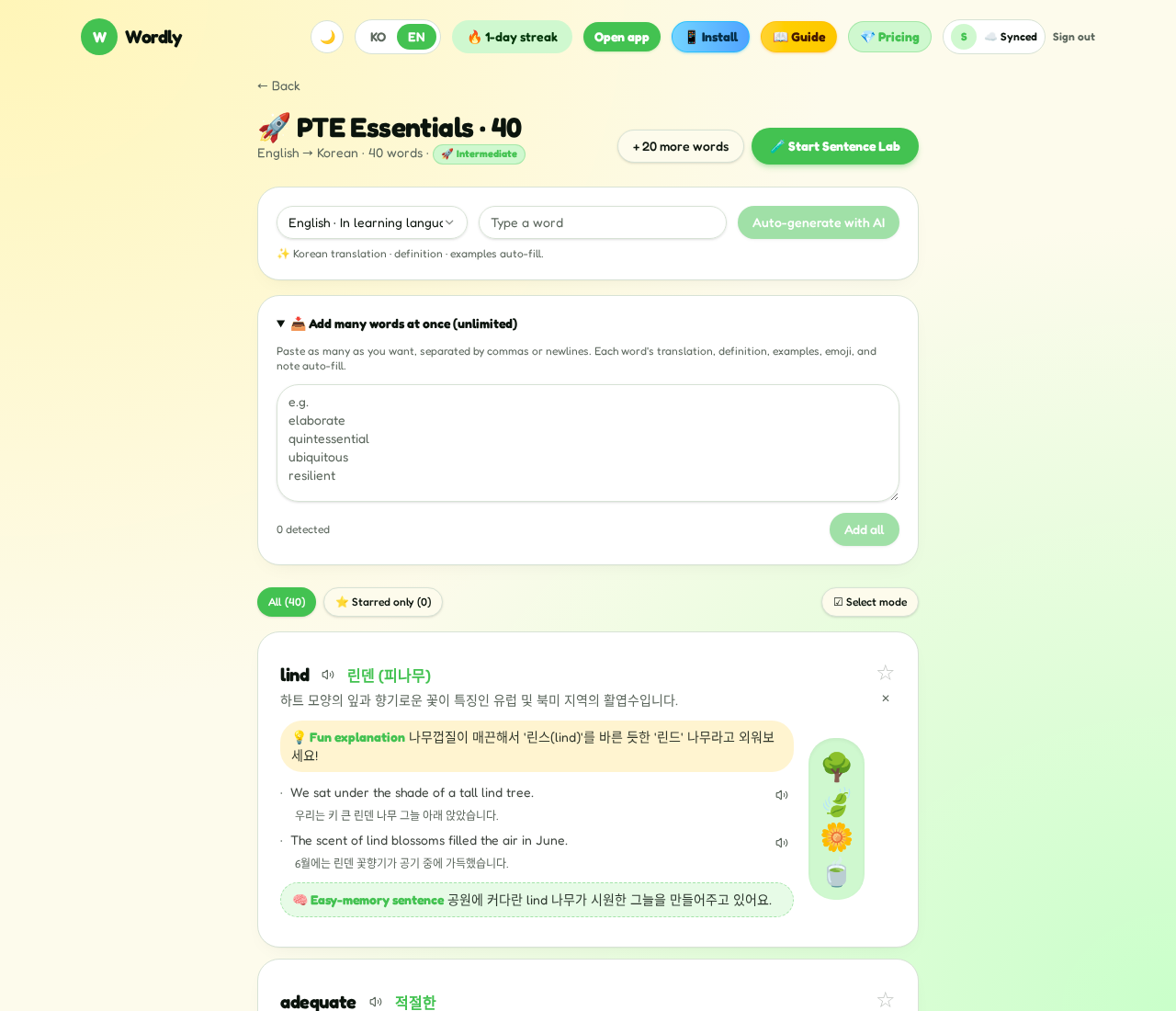
Paste many words at once
Expand “Add many words at once (unlimited)” on the deck page to reveal a big textarea. Separate items by comma, semicolon, or newline.
The detected count shows below the box. Tap “Add all” — WITTY ENGLISH runs 4 in parallel through AI to build each card. Duplicates are removed automatically.
Copy-paste directly from your notes, a textbook list, or a PDF glossary — the cards build themselves.
- 💡On the free plan (40 words/deck), only the remaining slots are processed
- 💡A toast tells you how many words failed (if any); just retry
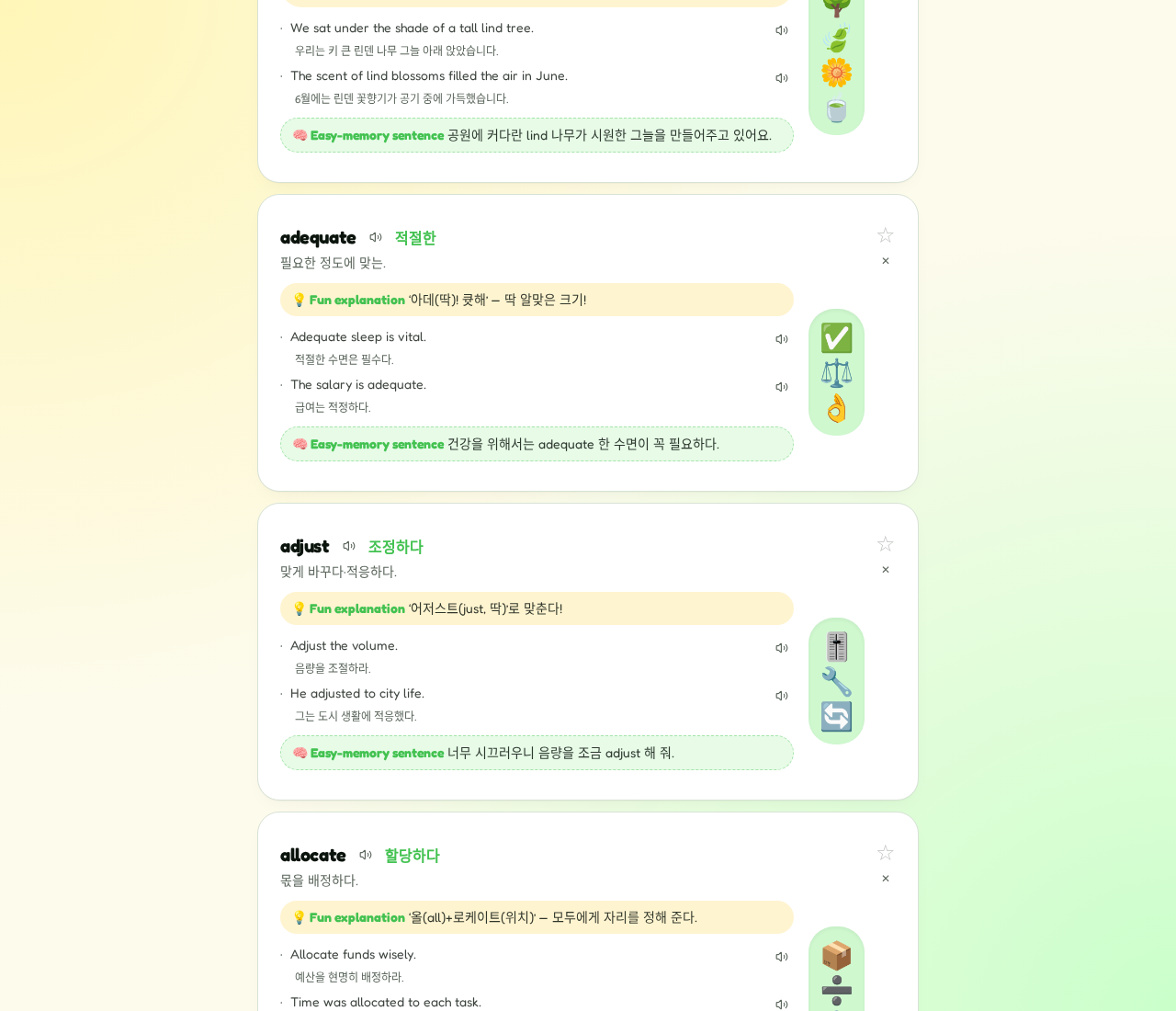
Hear audio & get 🎙️ AI pronunciation score + tips
Every word and example has a 🔊 icon. Tap it for native pronunciation via the browser's Web Speech API — no extra install.
Next to the speaker is a 🎙️ button. Tap it, speak the word or sentence into your mic, and AI listens back with a 0–100 score, which words you missed, and 💡 concrete tips on how to improve.
Pronunciation feedback is available on the reference example in Sentence Lab, on each word card, and on every example — perfect targeted practice for IELTS Speaking and PTE Speaking.
- 💡Score colors: green 80+, amber 60+, red below — you see progress at a glance
- 💡You also see the exact transcript of what you said, so you can spot the mangled word
- 💡On iOS Safari, tap the page once to allow the microphone before the first recording
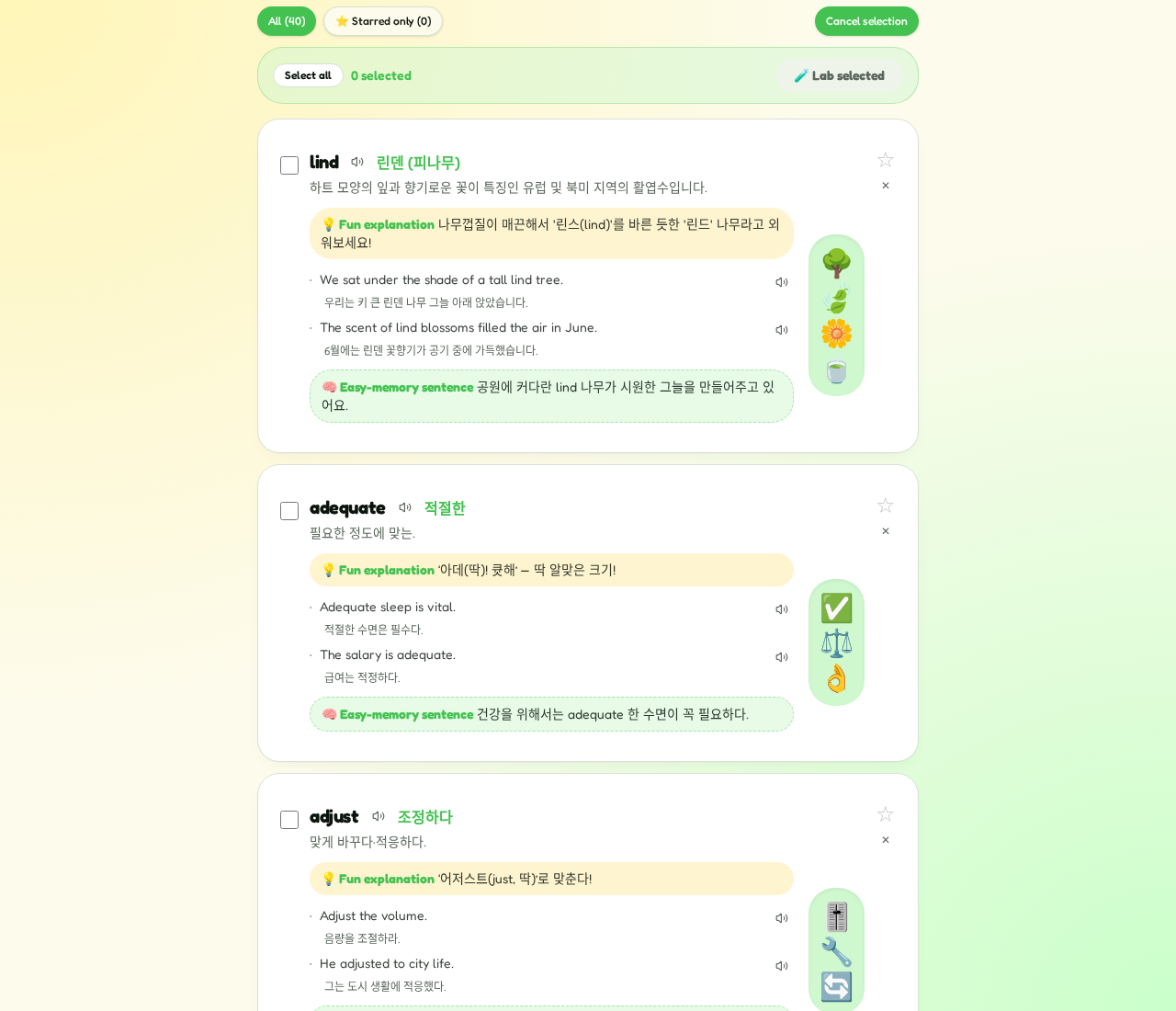
Star (★) & Select mode — study a subset
Tap the star on any card to favorite it. The “Only starred” filter above the list shows just those.
When you have starred cards, a yellow “Starred lab (n)” button appears in the deck header — jump straight into Sentence Lab with only those words.
Toggle “Select mode” to get checkboxes on each card, pick a few, then tap “Start selected lab”. Only those cards go into the lab.
- 💡Great for a “weak words only” drill
- 💡Use the Select all / Deselect all toggle for speed
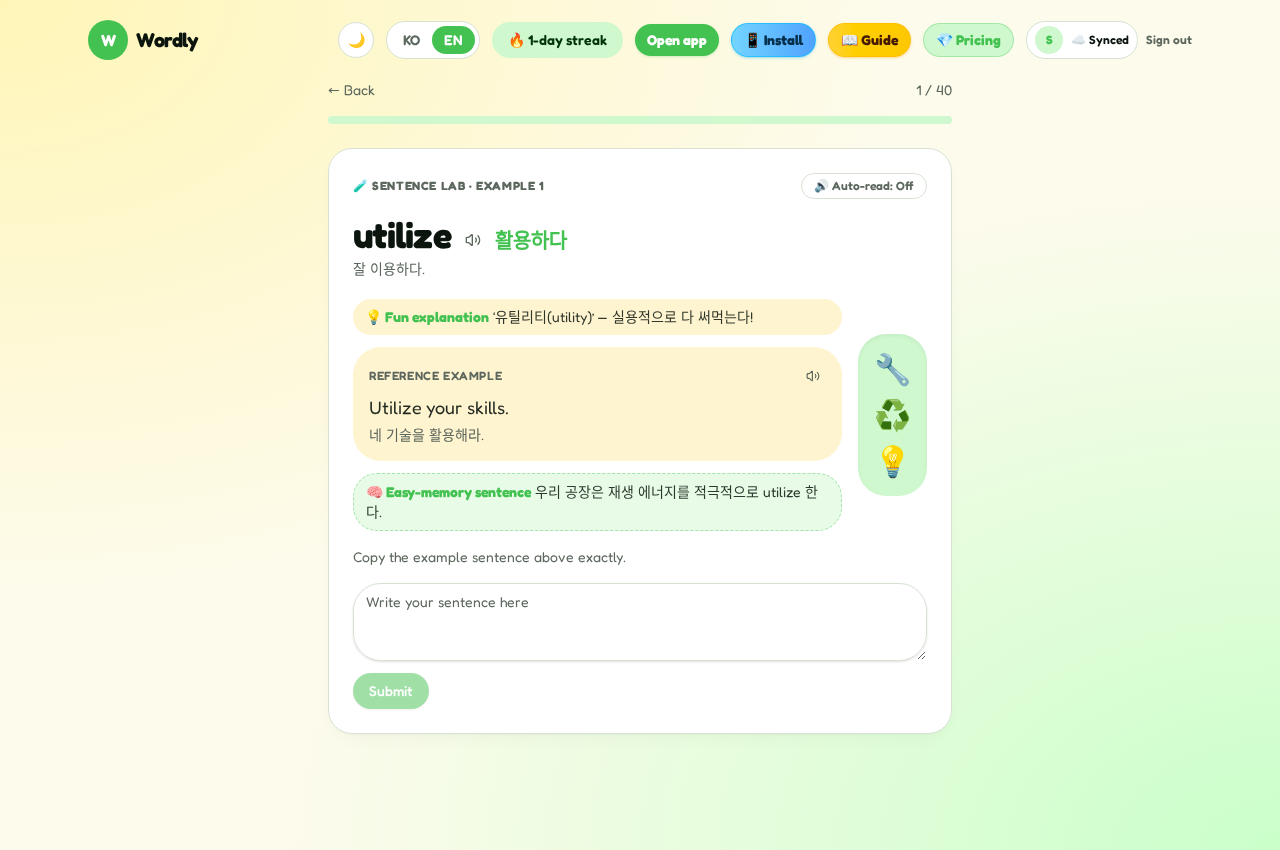
Sentence Lab — write sentences, get AI grammar feedback
WITTY ENGLISH isn't just a vocabulary app. In Sentence Lab you write real sentences with the words you learned, and AI checks your grammar, word order, and phrasing on the spot — ideal prep for IELTS Writing and PTE Speaking.
Tap the green “🧪 Start Sentence Lab” on the deck to open the lab. Cards come one by one with a progress meter at the top (e.g. 1 / 40).
Each card shows the word, translation, short definition, mnemonic, and one reference example. Type the example into the box and AI highlights any grammar, spelling, or word-order mistakes with an explanation.
After you submit, the card switches to a fill-in-the-blank step where the key word is removed from the sentence. You must type the correct answer to move on — a wrong answer keeps you on the same card and you'll keep retrying until it's right. No skipping, so the word actually sticks.
Use the “🔊 Auto-read: On/Off” toggle at the top to auto-play each new card's example.
- 💡The same AI feedback doubles as IELTS Writing / PTE Write-Essay practice
- 💡Speaking the sentence aloud (no typing) is a great alternative
- 💡Enter the lab via Star or Select mode to keep daily sessions short
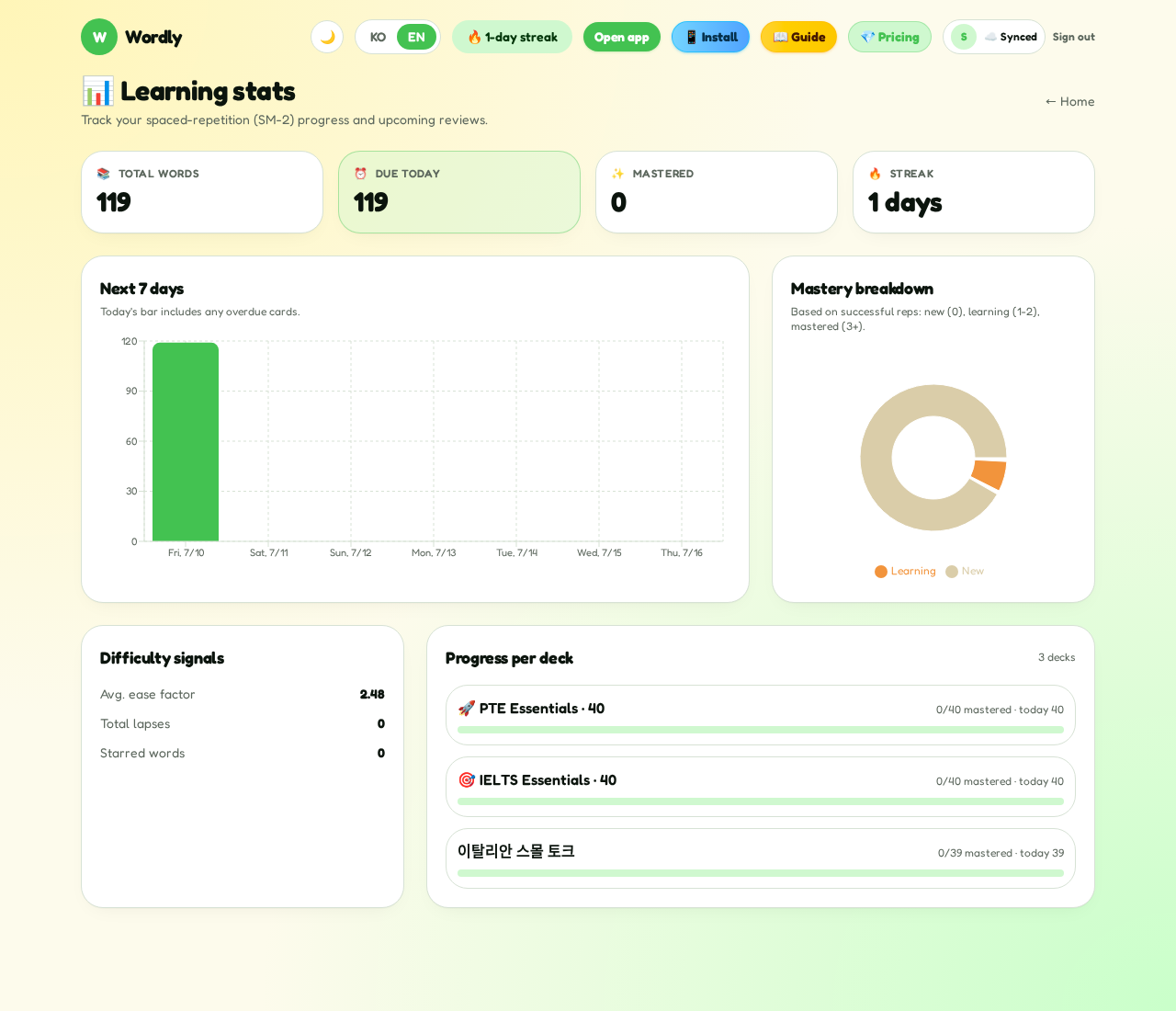
Stats & streak — build the habit
The “📊 Stats” page shows total words, cards due today, mastered words, and your streak in days.
You also get a 7-day review forecast, per-deck progress bars (mastered / due today), and difficulty signals like average ease factor, cumulative lapses, and starred count.
The 🔥 streak badge in the header nudges you to show up daily. 5–15 focused minutes a day beats a weekend cram every time.
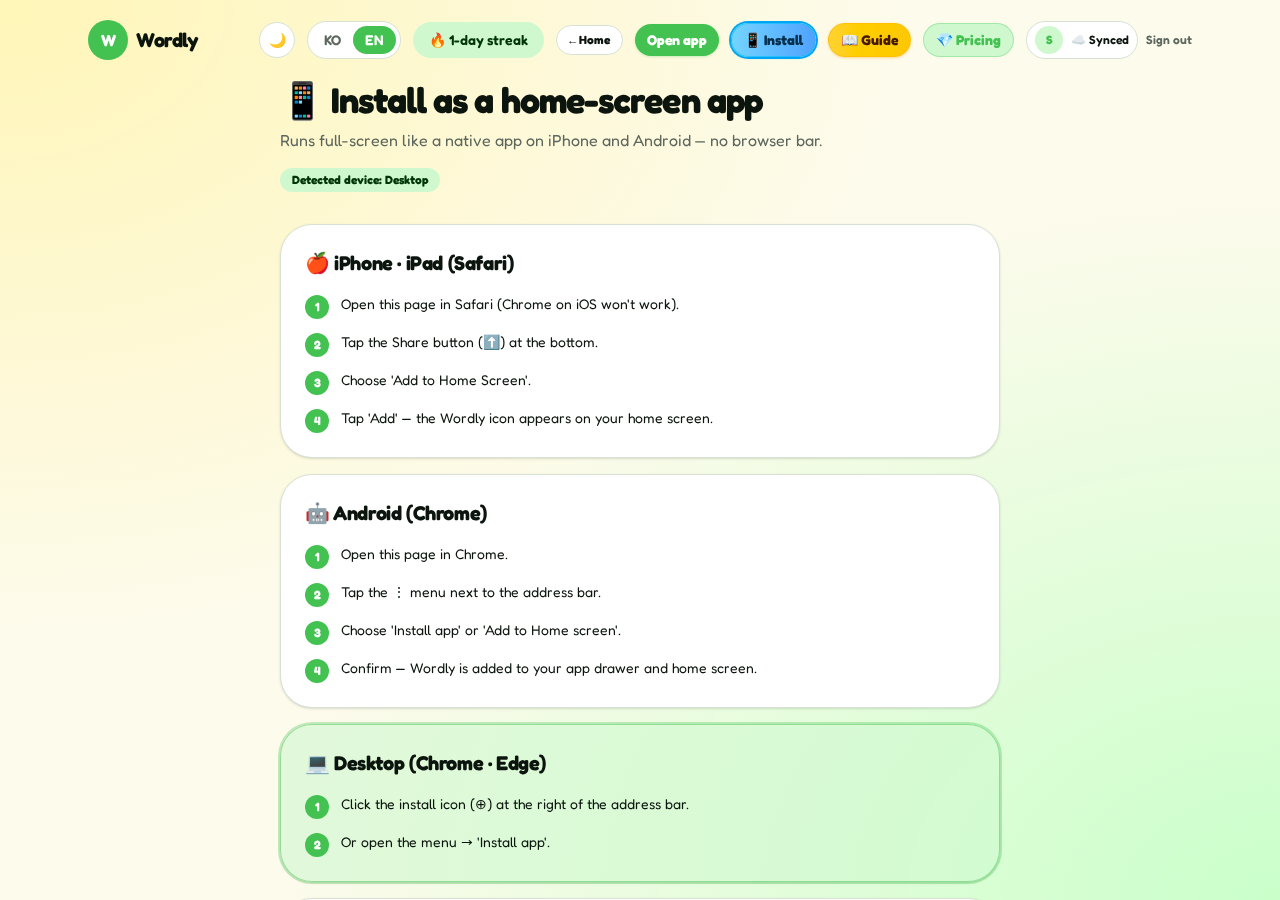
Install as an app & sync across devices
One account keeps every device in sync — decks, progress, streak. Study on your phone on the subway, continue on desktop at home.
Tap “📱 Install” in the header and you'll get step-by-step install instructions for your device. Follow them to add WITTY ENGLISH to your home screen — it launches from an icon just like a native app.
Ready to start?
Create your first deck or add a preset — then study for just 5 minutes.